Scripting
Run Jupyter-based custom workflows on your team clusters.
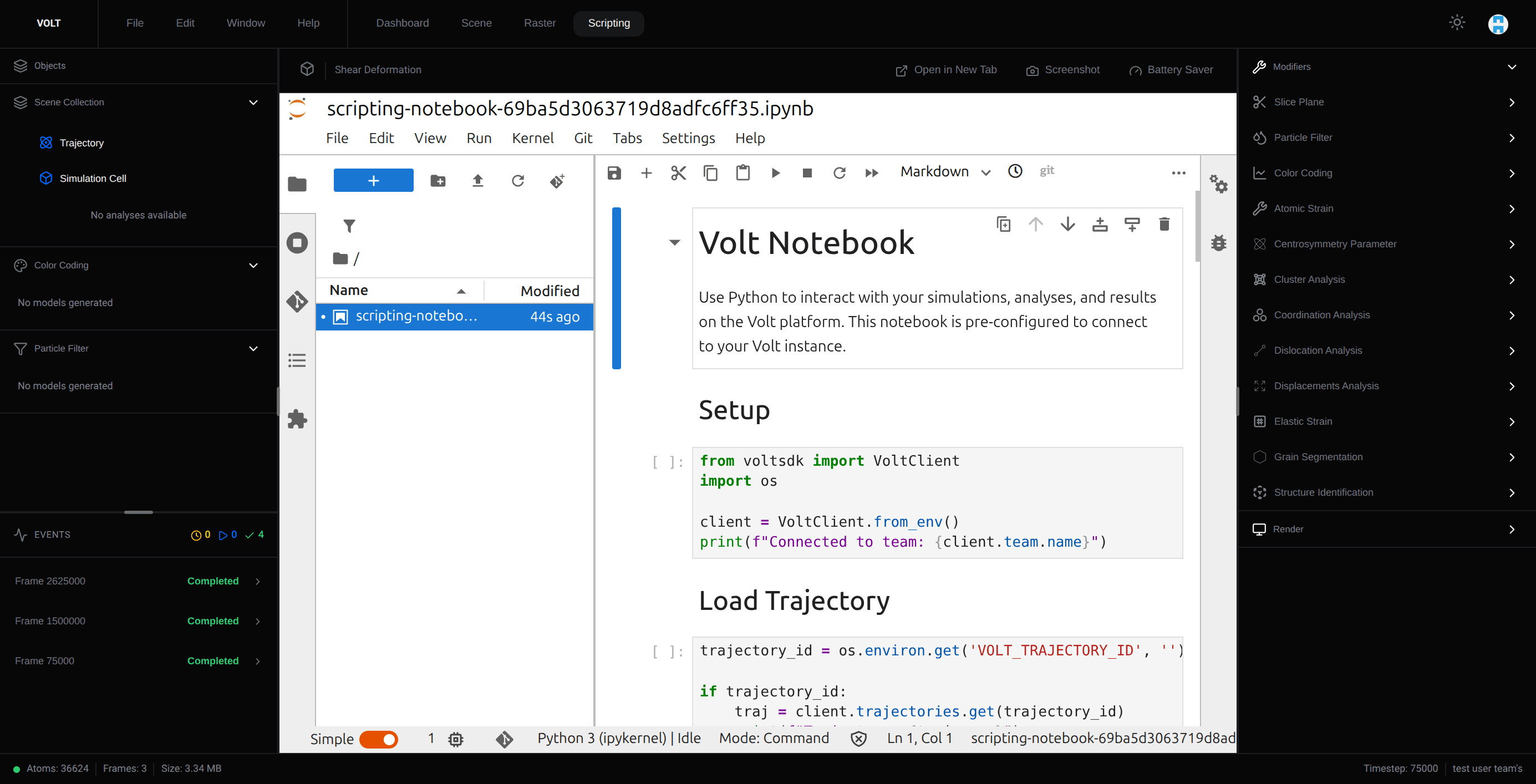
Scripting runs Jupyter sessions on team clusters for custom analysis, plotting, and data preparation. It supports general notebooks and notebooks linked to a specific trajectory, with the scientific Python stack preinstalled.
Notebook scopes
| Scope | What It Is For |
|---|---|
| General | Shared scratchpads, utilities, and workflows not anchored to a single trajectory |
| Trajectory | Notebook work tied to one specific simulation dataset |
How sessions are created
Opening a notebook coordinates a Jupyter runtime on the cluster. The backend:
- resolves a suitable team cluster,
- deduplicates concurrent startups for the same session,
- provisions or reuses the notebook runtime container,
- proxies the Jupyter interface back into the app.
What comes preinstalled
The notebook image builds on the Jupyter scipy-notebook base (numpy, scipy, matplotlib, pandas) and adds jupyterlab, voltsdk (3.1.1), ovito, ase, pymatgen, MDAnalysis, matminer, vtk, minio, and pyarrow. When a session starts, the cluster injects VOLT_SECRET_KEY, VOLT_BASE_URL, and VOLT_TRAJECTORY_ID into the container, so VoltClient.from_env() is authenticated and the linked trajectory is preloaded with no setup.
Trajectory-linked workspaces
When opened from a trajectory context, Scripting creates or reuses notebooks scoped to that trajectory and can seed an example notebook.
Notebook management
The listing supports tabbed views (General and Trajectory Notebooks), sortable columns (Title, Last Opened), pagination, rename, and delete operations. Deleting a notebook also tears down its associated runtime state.
Scripting vs. plugins
Scripting suits exploratory, temporary, or custom-Python work. Plugins suit stable, repeatable workflows shared across the team.