Clusters
Connect machines to a team and use them as the storage and execution layer behind VOLT.
A cluster is a machine enrolled into a team workspace to run the daemon, maintain local services, store trajectory and analysis data, execute jobs, and expose selected capabilities back to VOLT. A team requires at least one connected cluster to process or store data.
What lives on a cluster
A cluster runs the daemon plus a PostgreSQL database:
| Component | Purpose |
|---|---|
| ClusterDaemon | Maintains the connection to VOLT and orchestrates processing, notebooks, remote access, and job execution |
| PostgreSQL | The daemon's own database (volt-cluster): metadata, listings, and its job queues |
| Object store | A filesystem tree in the daemon's data directory holding dumps, Parquet exposures, GLB models, and rasters, served over the daemon's object gateway |
The cloud side of VOLT coordinates and routes; the cluster side runs the workload.
Clusters used to run MongoDB, MinIO, and Redis as separate services. All three are gone — metadata is in PostgreSQL, objects are on the filesystem behind the object gateway, and queues are Postgres-backed.
Enrollment and lifecycle
Enrolling a cluster:
- VOLT creates a cluster record.
- An enrollment token is issued.
- An install command is provided for the target machine. For Linux and macOS this is a
curl | bashone-liner; for Windows it is a PowerShell command. Both are run directly on the target machine — VOLT does not SSH into the machine. - The daemon starts and sends heartbeats.
- The cluster transitions from waiting to connected.
The lifecycle layer also supports updates, credential reveal, remote-access sessions, and deletion. Install commands and enrollment tokens can be regenerated.
Status values
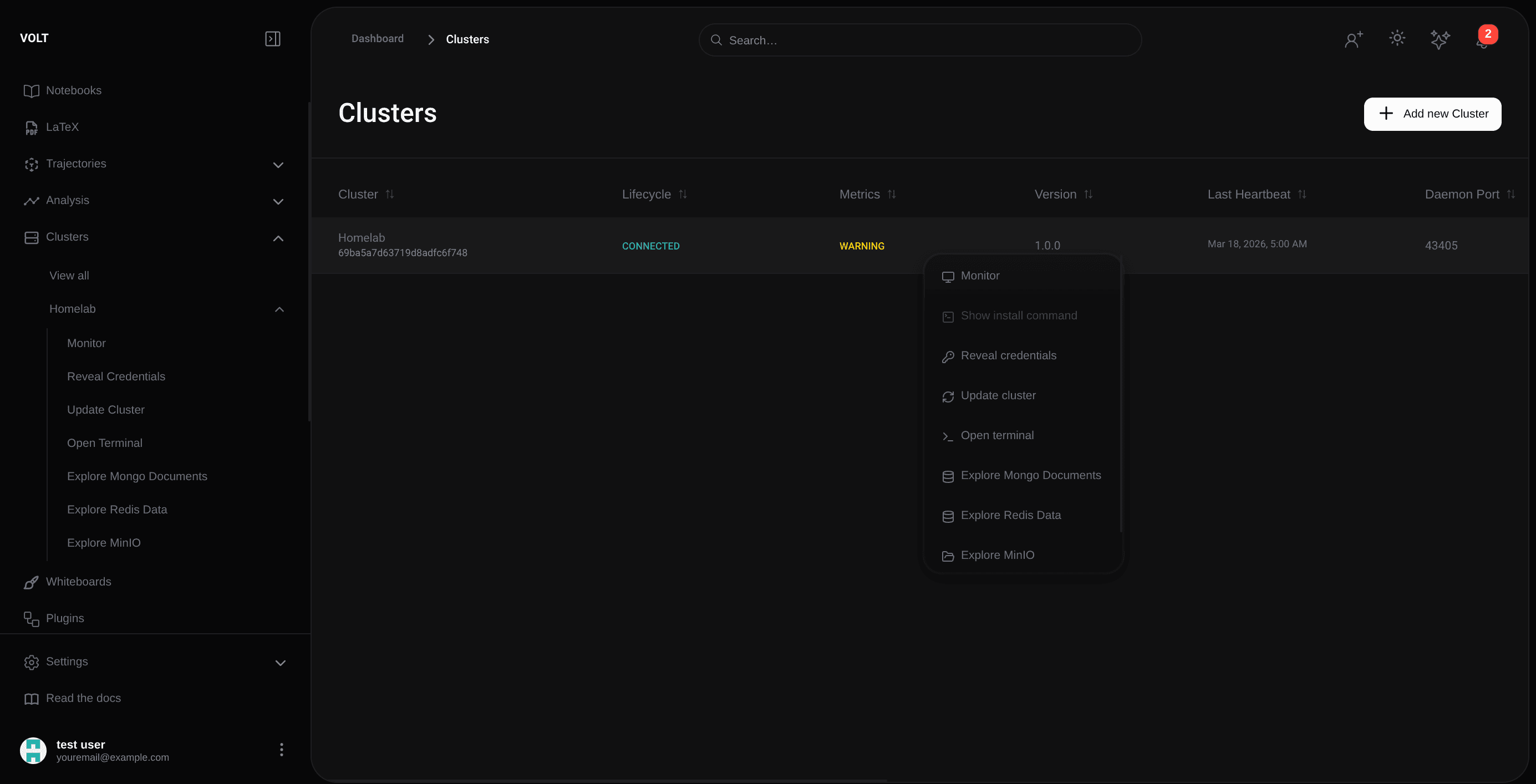
The listing reports cluster reachability and lifecycle state.
| Status | Meaning |
|---|---|
| Waiting for Connection | The cluster has been created, but the daemon has not connected yet |
| Healthcheck Received | The daemon has contacted VOLT and the enrollment healthcheck has been acknowledged |
| Preparing Environment | The daemon is setting up the local services and runtime environment |
| Connected | The daemon is online and the cluster is actively participating in the workspace |
| Disconnected | The cluster was known previously, but heartbeats are currently missing |
| Updating | A managed update is in progress |
| Update Failed | The managed update did not complete successfully |
| Deleting | The cluster is being removed from the team |
| Delete Failed | The deletion did not complete successfully |
| OS Not Supported | The target operating system is not supported by the daemon installer |
| Dependency Install Failed | One or more required dependencies could not be installed during setup |
Monitoring and health
The monitoring view reports resource usage, connection quality, and service behavior in real time, including:
- daemon connection state,
- memory pressure,
- storage utilization,
- and worker availability.
Operations
Beyond monitoring, the cluster views cover day-to-day maintenance:
- Queue concurrency — how many jobs each queue drains in parallel on this cluster.
- Role — whether the cluster takes compute work, storage, or both, which decides which workers start.
- Credentials — reveal the enrollment credentials for a cluster you already own.
- Install command — regenerate install material and enrollment tokens.
- Transfers — copy objects between clusters, tracked as transfer jobs.
- Disk operations — inspect and reclaim storage.
Cluster health and platform impact
If the cluster is disconnected, uploads, analyses, notebook sessions, container operations, and remote features either pause or fail.